How Markatron works
From the printed sheet to the exported report, in the order you will actually do it.
- 1
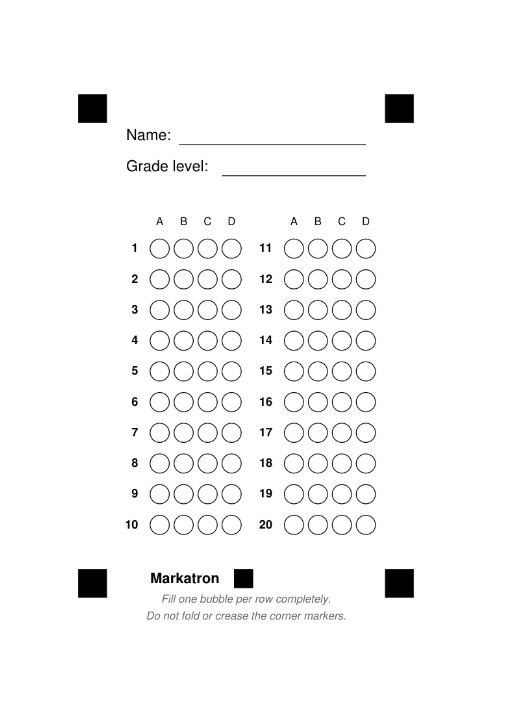
Print the answer sheet
Choose your question count and print the sheet from Standard Paper. Everything else starts here.
- 2
Let your student answer
They shade the bubbles like a normal quiz — no special paper or app on their side.

- 3
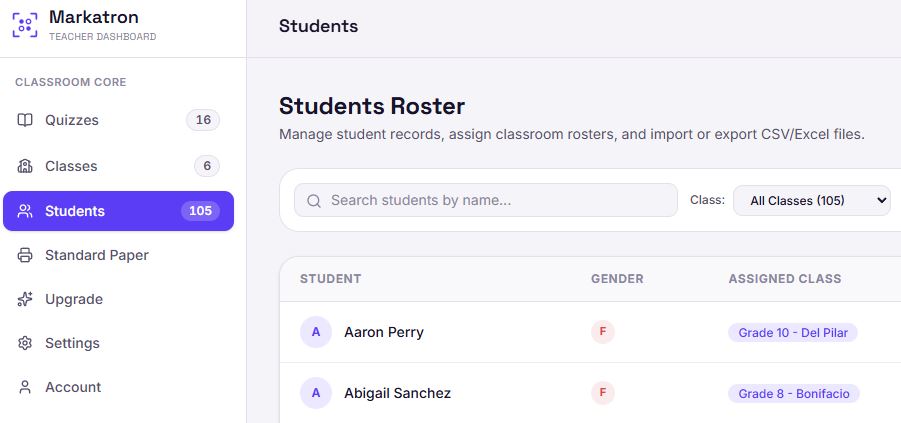
Set up your class
Group quizzes and students under a class, so a whole section can be scanned and reported together.
- 4
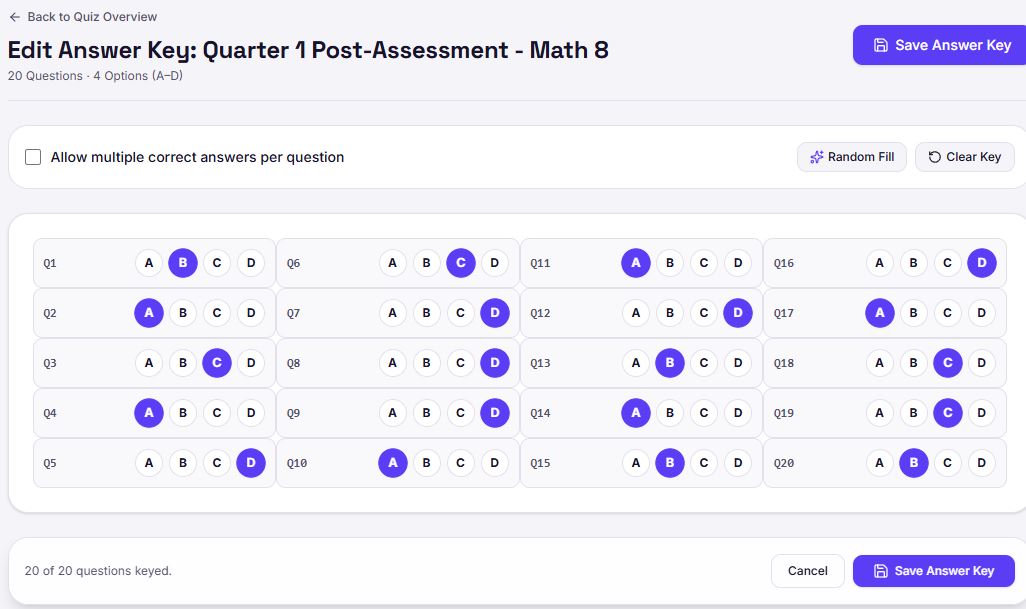
Edit the answer key
Tick the correct answer for every question so the scanner knows what to mark.
- 5
Scan it through your phone
Open the Markatron Android app and scan each sheet with the camera.

- 6
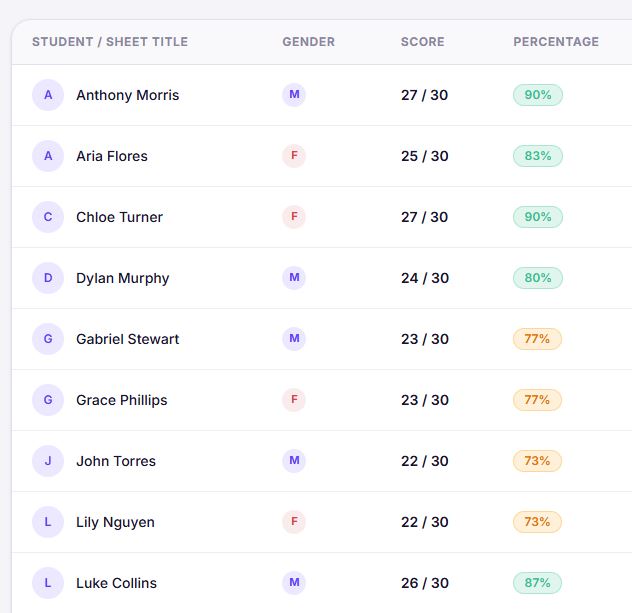
Get your scores
Every sheet is graded the moment it is read, so the paper never comes home for marking.
- 7
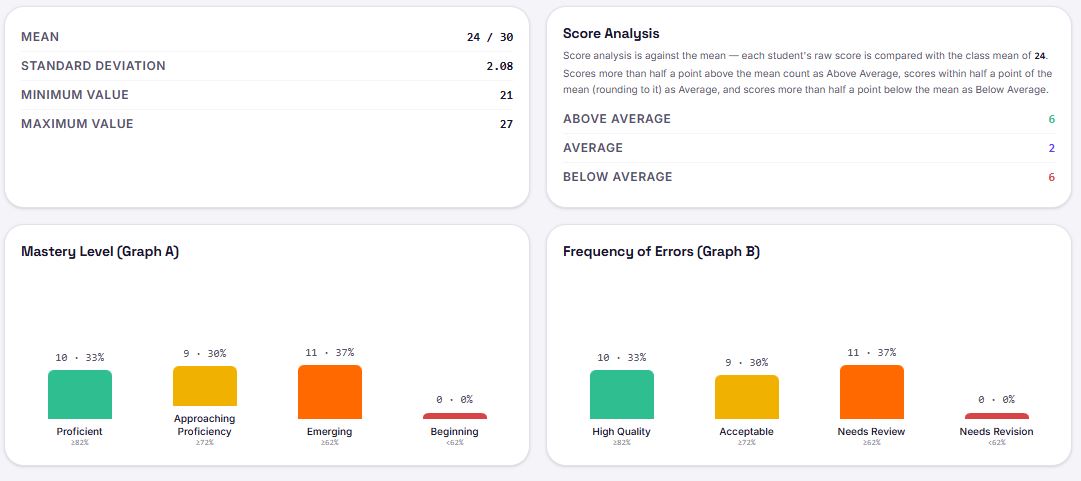
Get your statistics
See the class average, the highest and lowest scores, and how the whole section performed.
- 8
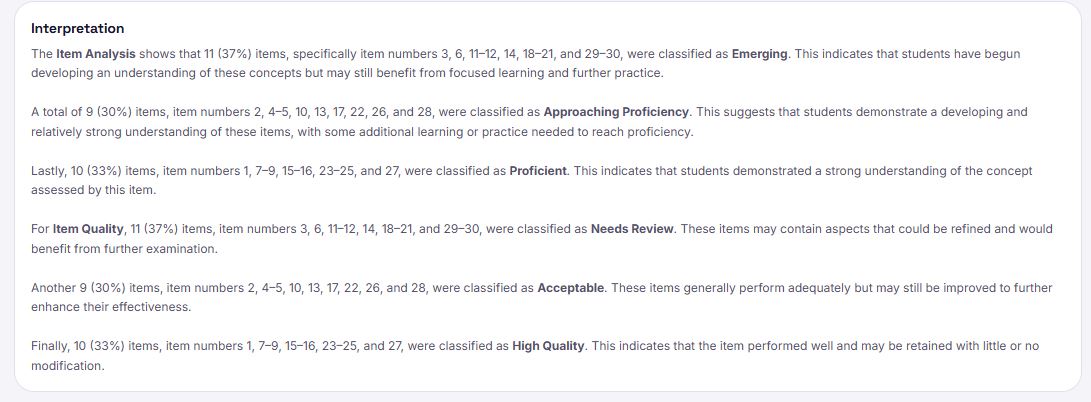
Get your interpretation
Item analysis shows which questions the class found hard, so you know exactly what to reteach.
- 9
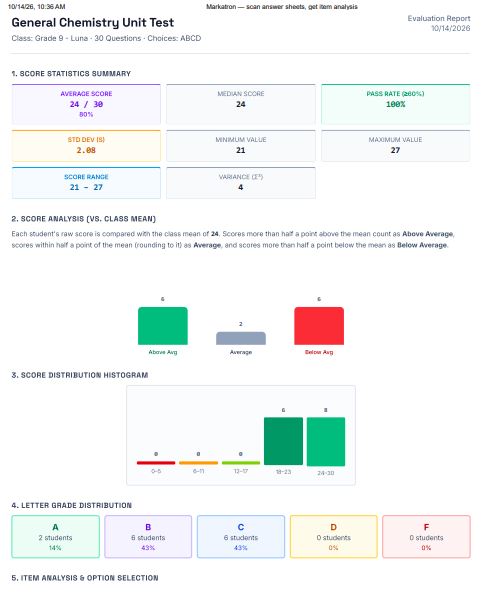
Export your report
Download the scores as a spreadsheet for your records, or to submit to your school.
Ready to try it on your class?
Nothing to install on the student side — just paper and a phone.